Every drink takes too many taps
When the queue is three deep, every extra step between order and payment costs time and sales.
MODR's bar mode is built for a busy bar: the most ordered drinks first, several open tabs at once and payment in the same view. Less searching for the bartender, less waiting for the guest.
Free and without commitment. We onboard a few bars and clubs at a time.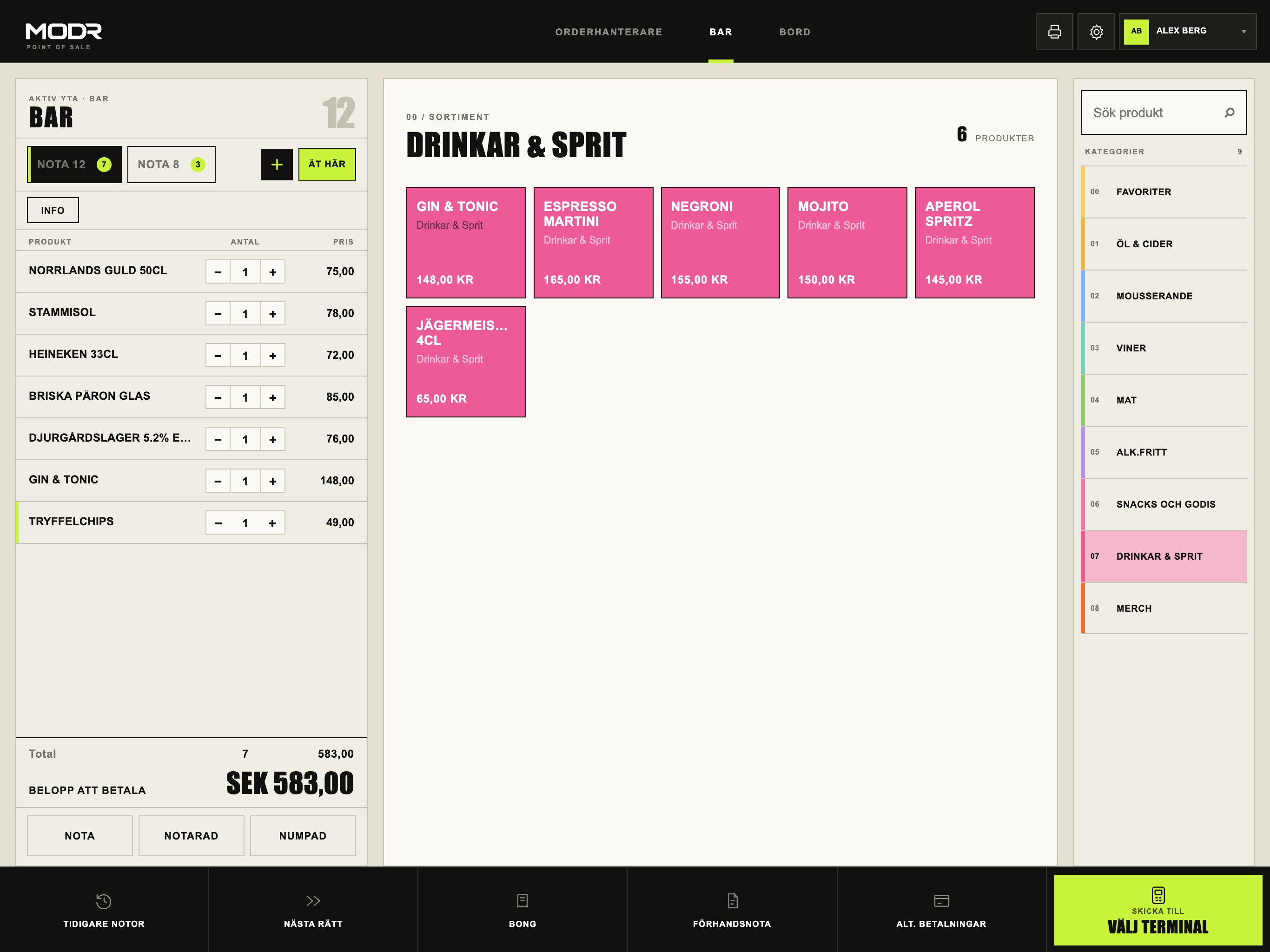
When the queue is three deep, every extra step between order and payment costs time and sales.
Groups keeping a tab open all night, regulars paying separately and bartenders taking over each other's guests.
Cash-up, tips and a Z report to copy into the accounts when everyone wants to go home.
The most ordered drinks sit on the first page. Categories like beer, cocktails and alcohol-free are one tap away.
Keep tabs open for groups and regulars and switch between them without leaving the sales view.
The amount goes straight to the terminal. Split the bill when the group wants to pay separately.
Every bartender signs in with their own PIN, and the POS locks when left. Refunds and discounts require the right permission.
Once the night is closed, Z is booked automatically with a PDF attached – no manual transfer after closing.
A simplified POS on phone and terminal for selling on the floor or at a pop-up bar.
We are clear about what is live and what is being verified in pilot. See current status →
Ett kassabyte känns större än det är. Med rätt ordning går det att byta mellan två servicedagar. Checklistan gäller oavsett vilket system ni väljer.
A few lines about your bar is enough. It is free and without commitment.
We show bar mode with your kind of menu and answer how it would work for you.
We will contact you personally when we can onboard more bars and clubs.
Bar mode is built for few taps per order and several open tabs. We review how many registers and terminals you need during the demo.
Yes. Each bar can have its own register and menu, while menus and prices are managed centrally in MODR Cloud.
Tips via the card terminal are recorded and can be booked to their own account in Fortnox.
Yes. Mention your current system in your enquiry and we will walk through menus, hardware and bookkeeping before switching.