Check, kitchen and payment in one rhythm
Staff see what is open, what needs to go out and what remains — without changing workspace mid-service.
MODR
POS for restaurants, bars, hotels and arenas. Take the order, send it to the kitchen, split the bill and get paid — in one view built for the rush.
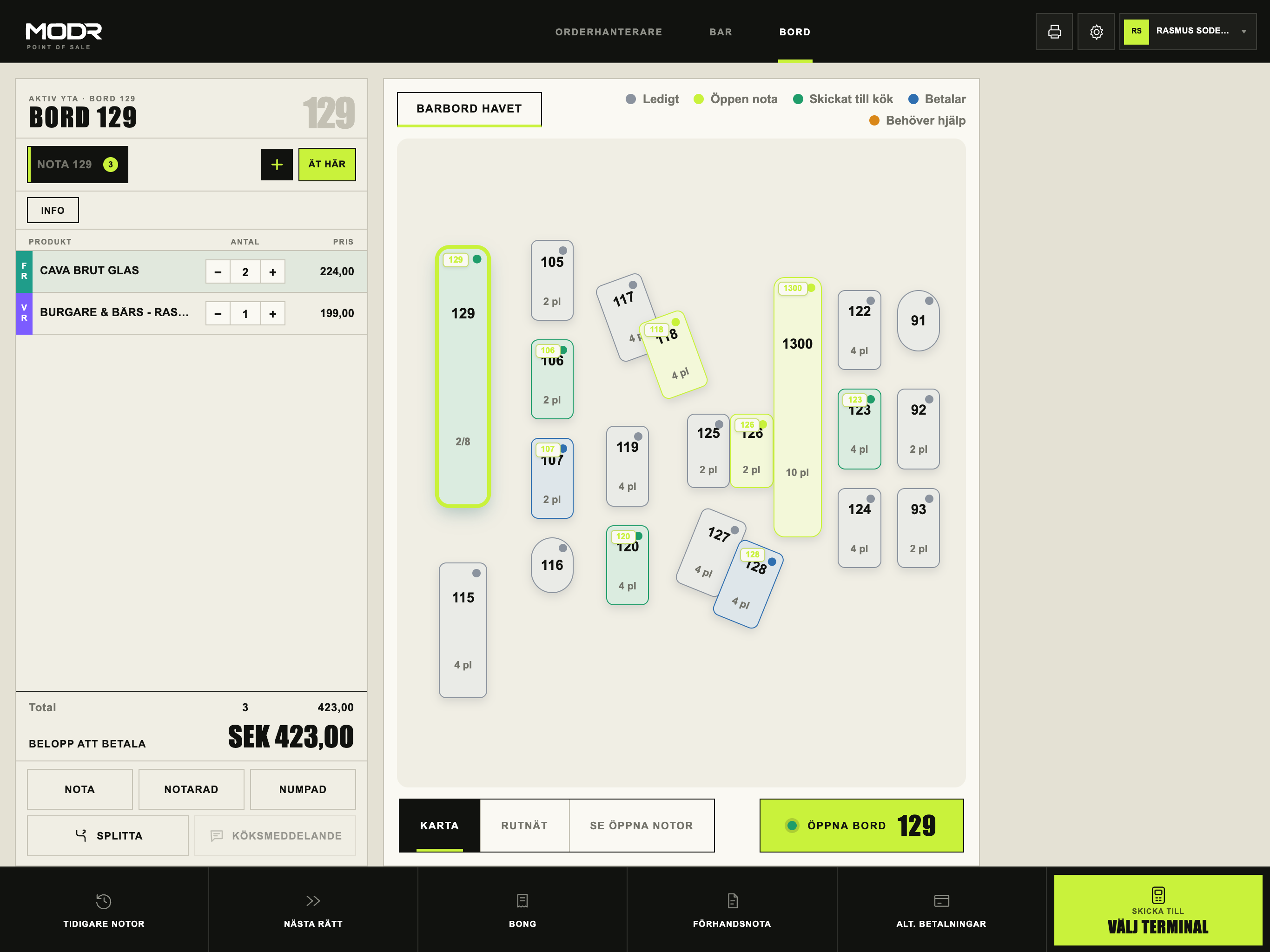
During service
The active check on the left, products in the centre and payment at the bottom. Large planes, sharp edges — the same language as the POS.
Staff see what is open, what needs to go out and what remains — without changing workspace mid-service.
Prices, permissions and devices are managed centrally. The floor gets what the night needs — nothing more.
Orders, payment status and receipts stay connected, so discrepancies are easier to understand when service ends.
Three moments
Active check and products on one surface.
Open tables and what is waiting — at a glance.
Multiple payers without losing the rest.
MODR Cloud
Change a menu or a price in MODR Cloud and publish when it suits you. Follow sales and reconciliation per outlet. With several venues, manage what is shared centrally – the rest stays local.
Explore the productWhat you can use now
Most of the core is live. Quick Sale, Tixly and KDS are still verified in pilot with selected operators.
Locked Z becomes a Fortnox voucher, with a PDF pack. Customer invoices use the same connection. SIE4 remains as a file.
Bar, tables, checks, split payments, payment terminals and clear payment status.
Simplified per-device selling surface for fast checkout on iPhone/S1F2/PAX.
Kitchen display with order queue, stations and status — alongside tickets to printers.
Room charge to guest folio. Sales can sync to Mews. Room charges are booked in Mews, not on the Fortnox Z.
Tickets on the same iPad as F&B: events, seats/GA, hold and one card payment. Prepaid F&B is redeemed against the guest.
Partner REST for menu, Orderhanterare, checks and sales with per-outlet keys and webhooks.
Menus, prices, roles, devices, sales and reconciliation in Backoffice.
Account mapping and SIE4 records from the same Z as Fortnox — for agencies and other ERPs.
MODR Ask · Early access
In Cloud, Ask can summarise operations, explain reconciliation, troubleshoot exceptions, optimise POS layout, simulate pricing and build products and menus from an image, file or instruction — always as a reviewable draft within the user's permissions.
Sales, open checks and exceptions in one prioritised view.
Explains verified differences between sales, payments and recovery.
Ranks products from verified sales — as a draft, never auto-published.
Open checks, failed payments and what needs action, with links to the right view.
Shows the effect of a pricing or layout scenario with assumptions stated clearly.
An image, PDF, text or URL becomes products, categories and a POS layout in a reviewable draft.
Built for
Tables, multiple checks, kitchen and split payments.
→02Bar & nightclubFew taps from product to payment when the queue grows.
→03CaféShort queues, a fast check and a clear register.
→04HotelSeveral F&B outlets with shared menu and ops control.
→05Arena & eventsBars, concessions and tickets on one platform.
→MODR in brief
MODR is in early access. We say what works, what is being tested and how a pilot starts.
A point-of-sale system for restaurants, bars and hotels. Orders, checks, payments and back office in one operational flow.
Restaurants, bars, hotels, arenas, events and operators with multiple outlets.
Yes. Terminal payments, payment status, multiple payers and check splitting are in live use.
Yes. Tickets and correction tickets go to configured kitchen printers. KDS runs in pilot.
In early access, Ask can create operational briefs, explain reconciliation, troubleshoot exceptions, optimise POS layout, simulate pricing and build products and menus from an image, file or instruction. Everything stays within the user's tenant, outlet and role permissions — as drafts, never automatic publishing.
Yes. MODR Open API v1 gives partners menu, Orderhanterare, open checks and closed sales per outlet via API keys and HMAC webhooks. Payments and fiscal are out of scope for v1.
Yes, in the pilot. Ticket sales happen on the same iPad as F&B: events, seats or GA, a hold, then one card payment. Prepaid food and drink are redeemed against the guest. Tixly owns the ticket; MODR owns the check and Z.
Yes. You connect Fortnox per outlet. When Z locks, a voucher is posted, with a PDF of the day, the booking and the accounts. Customer invoices use the same path. Room charges stay in Mews. SIE4 remains as a file export.
With a pilot walkthrough. We map your service, payment flows, devices and what is business-critical for you.
Early access
A pilot starts with your service, payment flows and how you close the night. Then we set up a test environment and a shared plan.
Not self-service. You get a direct contact — and we are clear about what is ready.